



Zivver
Last updated January 2025
Thrive Homes uses an email security system called Zivver to protect your privacy and securely share emails containing sensitive information. This way, we can send sensitive information using the latest security and make sure no one but you can read the contents of the email.
It's important you let us know about any changes to your email address or phone number as soon as possible so we can make sure we are continuing to communicate securely.
For more information on how we're using Zivver to protect your privacy, head to www.zivver.com.
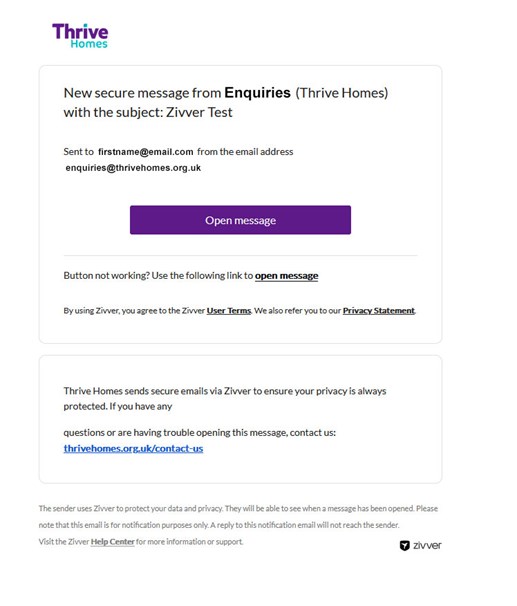
How to access a secure message:
Click the blue link in the email that says 'Click for message,' and this will take you to Zivver. If you don’t have a Zivver account, you'll need to enter an access code or an SMS code to view the email.
Opening a message with an access code:
You’ll receive an access code by email or text. Select 'Click for message' in the email and enter the code to read the message. If you didn’t get a code please contact us.
Opening a message with an SMS code:
For messages secured with an SMS code, select 'Click for message,' in the email and then 'Send SMS.' Enter the code you receive by text to read the message.
Responding to an email sent via Zivver:
You can reply to Zivver emails directly on the secure web page. Just click 'Reply,' type your message, add any attachments needed and hit 'Send.' You'll get a notification when the recipient responds.
Are you having problems accessing an email?
Visit docs.zivver.com/en/ to view their frequently asked questions or contact us in your usual way.